Amazon Video Verification: How to Pass on Your First Try (2026 Guide)
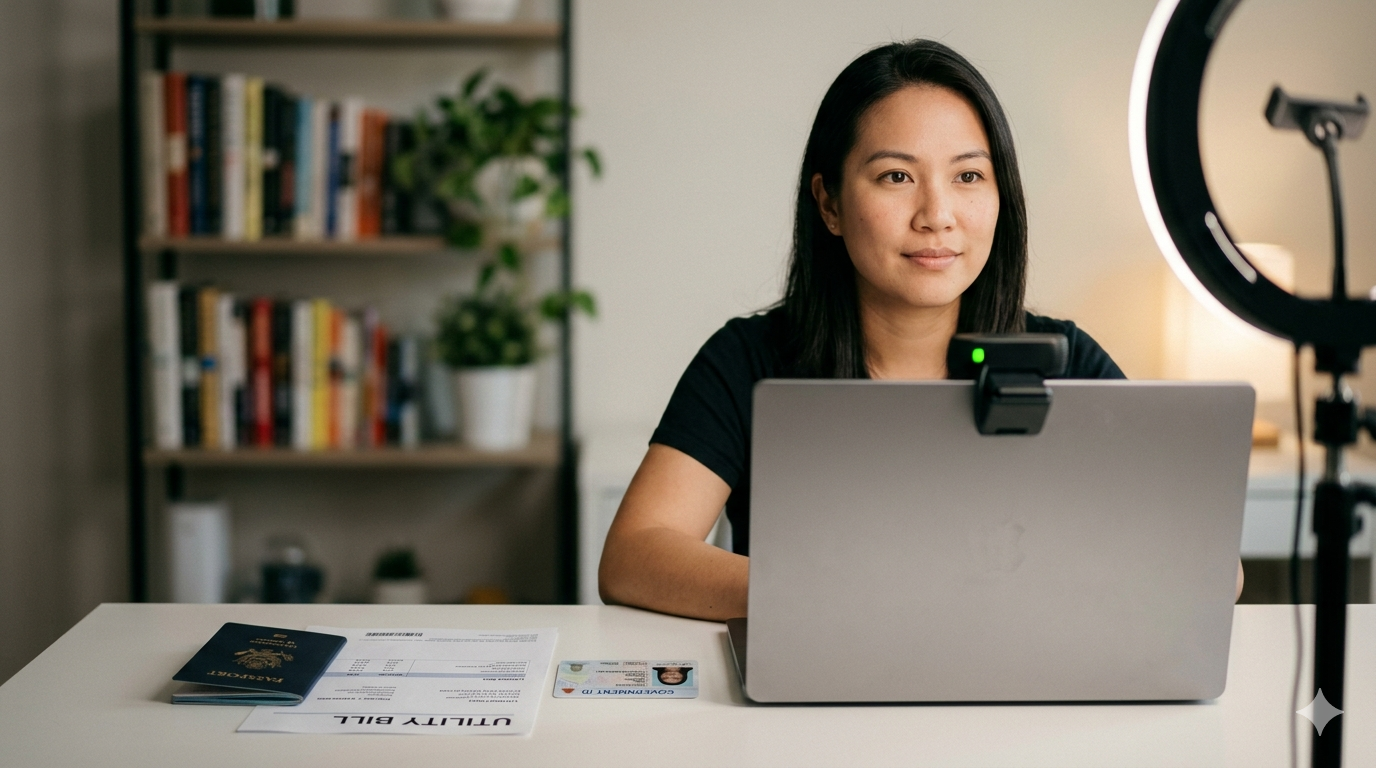
Key Takeaways
- 5 triggers that activate video verification
- Complete document checklist by country
- Camera, lighting, and internet setup specs
- Real questions verifiers ask (with answers)
- Recovery plan if verification fails
67% of new sellers fail verification the first time — not because they're fraudsters, but because Amazon's unwritten rules are a minefield.
Having coached over 200 sellers through video verification since Amazon expanded the program in 2025, I can tell you the difference between passing and failing almost never comes down to whether someone is a legitimate seller. It comes down to preparation. The call itself takes 10 minutes. The preparation that guarantees you pass takes about an hour. Here's every detail you need.
When Amazon Triggers Video Verification
Not every seller gets a video verification request. Amazon uses it selectively, and understanding the triggers helps you prepare before the notification arrives.
New account registration. As of early 2026, approximately 40% of new seller accounts in the US, UK, and EU marketplaces receive a video verification request during the registration process. The rate is higher for sellers registering from countries with elevated fraud risk.
Information mismatch. If your name, address, or business details don't match exactly across your government ID, bank statement, and seller account information, Amazon's system flags the inconsistency and triggers verification. Even small differences — "St." vs "Street," middle name present vs absent — can trigger it.
Multiple account signals. If Amazon's systems detect any connection to a previously suspended or denied account — shared IP address, device fingerprint, or household members with existing accounts — video verification is almost guaranteed.
Post-suspension reinstatement. Sellers whose accounts were suspended and later reinstated are frequently required to complete video verification as part of the recovery process, particularly for Inauthentic and Related Accounts cases.
Random security audits. Amazon periodically selects active seller accounts for verification as part of ongoing compliance monitoring. These are less common but can occur at any time, even on established accounts.
Document Checklist: Everything You Need Ready Before the Call
Document preparation is where most failures originate. The verifier needs to visually confirm each document through your webcam, so legibility is as important as accuracy.
Government-issued photo ID. Passport is the gold standard — it's internationally standardized and universally accepted. Driver's licenses work for US and EU sellers but can cause issues with non-Latin characters. The ID must be current (not expired), and the photo must clearly match your appearance on camera.
Bank statement or credit card statement. Must be dated within the last 90 days and show your full name and residential address matching your seller account. Digital PDF statements are acceptable — print them clearly on white paper. The bank name, your name, address, and statement date must all be visible in a single camera frame.
For US sellers, Mercury Bank provides clean, well-formatted business bank statements that photograph clearly on camera — a practical advantage during verification. International sellers often use Wise Business statements, which Amazon accepts and which display your registered address in the format Amazon's systems expect.
Utility bill. Electric, gas, water, or internet — dated within 90 days, showing the same name and address. This serves as secondary address verification. If your utility bills are in a spouse's name, you may need a notarized declaration or a different utility provider where the account is in your name.
Business registration documents (if applicable). LLC Articles of Organization, Certificate of Incorporation, or equivalent. The business name and registered agent must match your seller account business information exactly.
Pro tip: Print all documents on fresh white paper with a laser printer. Inkjet prints can smear or appear fuzzy on camera. Place each document in a clear document sleeve to prevent glare while keeping text readable. Arrange them in order on your desk before the call.
Technical Setup: Camera, Lighting, Internet
Camera. Your laptop's built-in webcam works if it's 720p or higher. External webcams at 1080p are better. The critical factor isn't resolution — it's focus distance. You'll need to hold documents 8-12 inches from the camera, so test whether your webcam can focus at that range. Many laptop webcams struggle with close-up focus.
Lighting. Face a window with natural daylight if possible. If not, position a desk lamp behind and above your monitor, angled down toward your face and the document area. Avoid overhead lighting that creates shadows on documents, and avoid backlighting (window behind you) that silhouettes your face.
Internet. A stable connection of 5 Mbps upload minimum. Use Ethernet if possible — Wi-Fi drops during a verification call can count against you. Close all other applications and streaming services. Run a speed test 30 minutes before the call.
Environment. Use a quiet, private room with a neutral background. The verifier will note your environment as part of the verification. A clean desk, solid wall behind you, no other people visible or audible. Treat it like a professional video interview.
What the Verifier Actually Asks (and How to Answer)
The verification call follows a predictable script, though verifiers can deviate based on what they observe.
Identity confirmation. "Please hold your ID next to your face so I can see both." Hold the ID at chin level, face the camera directly, and hold still for 5-10 seconds. Don't rush this — the verifier is comparing the photo to your live face.
Document review. "Please show me your bank statement / utility bill." Hold each document flat, 8-12 inches from the camera, and give the verifier time to read the key details. They may ask you to tilt the document or zoom in on specific sections. If they ask to see a specific detail (like a date or address), point to it with your finger.
Business questions. "What products do you plan to sell?" or "Where do you source your products?" Answer honestly and specifically. "Electronics accessories sourced from verified US distributors" is better than "various products." They're not evaluating your business plan — they're confirming you're a real person with a real business intent.
Address confirmation. "Can you confirm the address on your account?" Recite it exactly as it appears in your seller account. Any deviation — even saying "apartment" instead of "apt" — can create notes in your file that delay approval.
What Happens After the Call: Timelines and Possible Outcomes
Most verification results arrive within 24-72 hours, though some cases take up to two weeks. You'll receive an email notification with one of three outcomes.
Approved. Your account proceeds to the next stage of activation (for new accounts) or returns to normal status (for existing accounts). No further action needed.
Additional information required. Amazon may request a clearer copy of a document, an additional piece of verification, or clarification on a specific detail. This isn't a failure — it's a request for supplementary documentation. Respond within 48 hours with exactly what they've asked for.
Denied. The verification was not successful. The email will include a reason — usually document legibility, information mismatch, or technical issues. You typically have one chance to rebook within 30 days.
Failed Verification? Here's Your Recovery Plan
If you fail, don't panic. The majority of failures are caused by fixable issues: a blurry document, a name that doesn't match exactly, or a technical glitch during the call.
Step 1: Read the denial reason carefully. Amazon's denial emails contain specific language that tells you exactly what went wrong. "Unable to verify identity" means the ID photo didn't match the live camera image clearly enough. "Document does not meet requirements" means a specific document was illegible or outdated.
Step 2: Fix the specific issue before rebooking. If it was a document issue, get fresh copies printed at high quality. If it was a name mismatch, update your seller account information to match your ID exactly — including middle names, suffixes, and character-for-character address formatting.
Step 3: Rebook with improved preparation. Test your entire setup with a friend on a video call first. Have them confirm they can read every line on every document through the camera.
Need professional help? If your verification was rejected and your account is now suspended or denied, our team at AmzDoc specializes in account recovery and reinstatement appeals for failed verification cases.
Prevention: How to Minimize Future Verification Requests
You can't prevent all verification requests, but you can reduce the likelihood of being flagged and ensure you're always ready if one comes.
Maintain perfect information consistency. Your name, address, and business details should be identical — character for character — across your seller account, bank accounts, tax documents, and government IDs. Any time you move, change your legal name, or update business information, update every associated document and account simultaneously.
Use stable, consistent login patterns. Avoid accessing Seller Central from VPNs, public Wi-Fi, or rapidly changing IP addresses. If you have team members accessing the account, use Amazon's user permissions system rather than sharing login credentials.
Keep documents current. Maintain a "verification folder" with fresh copies of all required documents, updated quarterly. When a verification request arrives with a 48-hour booking window, you don't want to be scrambling for a current utility bill.
Monitor account health proactively. Accounts with strong performance metrics and clean compliance records are less likely to be selected for random verification audits. Keep your Order Defect Rate below 0.5%, respond to all buyer messages within 12 hours, and resolve any policy notifications immediately.